There can multiple grades assigned as Valid grade at Position level or Job level. However, there is no direct way to end date the valid grades in bulk.
You can end date a valid grade from responsive UI. But it will be a lot of manual effort. You can search for Position and then navigate to Grades section. Then update the position and click on small delete icon next to Grade name (which you want to end date). This will end date the valid grade with an effective end date = date of position update – 1.
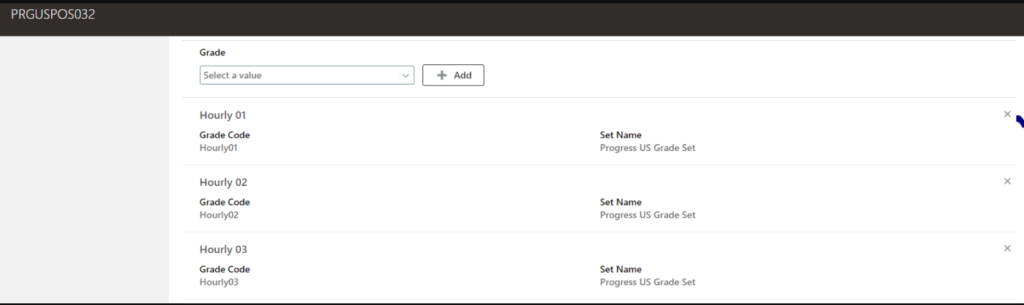
To do this in bulk using HDL, you can’t use DELETE command. If you use DELETE command, it will completely Purge the valid grade record from Position. To end date the valid grade, use “ReplaceLastEffectiveEndDate” attribute in the file.
Below is the sample file:
METADATA|PositionGrade|BusinessUnitName|PositionCode|EffectiveStartDate|EffectiveEndDate|GradeCode|GradeSetCode|ReplaceLastEffectiveEndDate
MERGE|PositionGrade|Progress US Business Unit|PRGUSPOS032|2018/12/31|2023/12/31|Hourly01|PRGUSGRADESET|Y
EffectiveStartDate – Earliest Grade Start Date
EffectiveEndDate – Date on which you want to end date the grade.
Once the file is loaded successfully, below is how the data will look in the backend:

Below SQL query can be used to extract valid grades data:
SELECT DISTINCT
	   TO_CHAR (pvgf.effective_start_date, 'DD/MON/YYYY') effective_start_date,
	   TO_CHAR (pvgf.effective_end_date, 'DD/MON/YYYY') effective_end_date,
	   pjfv.POSITION_CODE,
	   pjfv.name job_name,
	   pgfv.grade_code,
	   pgfv.name grade_name,
	   pvgf.valid_grade_id,
	   pgfv.grade_id,
	   pjfv.job_id
  FROM per_valid_grades_f pvgf,
       HR_ALL_POSITIONS_F_VL pjfv,
       per_grades_f_vl pgfv
 WHERE 1=1
   AND pvgf.position_id = pjfv.position_id
   AND pvgf.grade_id = pgfv.grade_id
   AND pjfv.POSITION_CODE = 'PRGUSPOS032'
   AND pvgf.effective_start_date BETWEEN pjfv.effective_start_date AND pjfv.effective_end_date
   AND pvgf.effective_start_date BETWEEN pgfv.effective_start_date AND pgfv.effective_end_date
ORDER BY POSITION_CODE,grade_code